Biyra guide
How to Photograph Empty Rooms for Virtual Staging
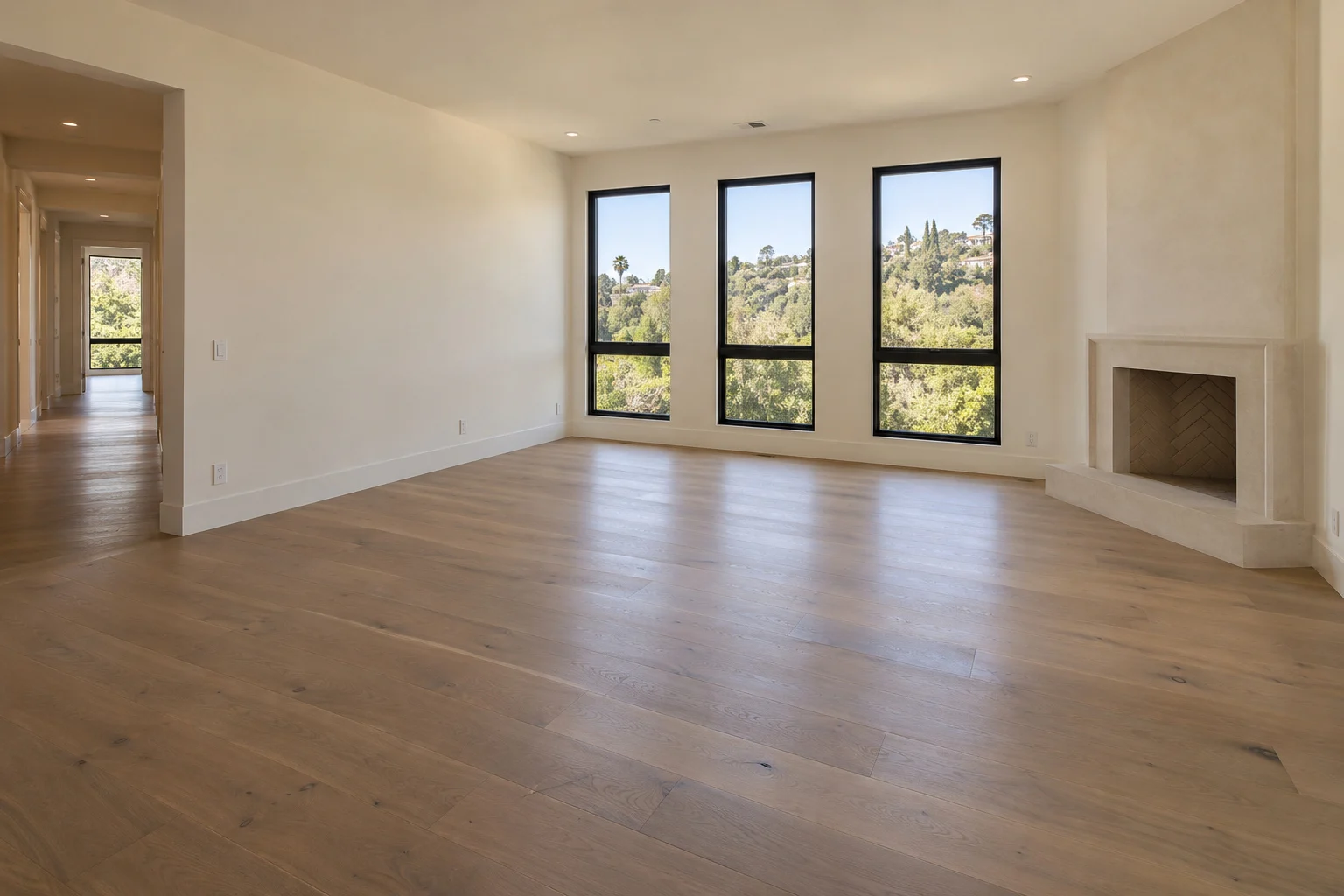
A useful staging photo makes the room easy to understand before any furniture is added. You do not need to disguise an empty space. You need to show its shape, entrances and fixed features clearly.
Start with a room the tool can use
Biyra’s Staging tool is designed for empty living rooms and bedrooms. Clear away loose boxes, cleaning equipment and temporary clutter before photographing the space. Keep built-in cupboards, radiators, fireplaces and other permanent features visible.
A finished, empty room is a stronger starting point than a construction site. Virtual furniture cannot make an unfinished floor or damaged wall accurate for a listing by covering it up.
- Use a clear JPG, PNG or WebP original, rather than a screenshot.
- Keep people, personal documents and reflective camera equipment out of the frame.
- Photograph the actual condition of the property.
Choose a viewpoint that explains the space
Try a corner or doorway that shows two walls and a useful area of floor. Hold the camera level so vertical door and window edges remain upright. Take a small step back if you are cutting off the main window or a doorway, but avoid making the room look much larger with an extreme wide-angle view.
Look at the photo before moving on. Can you tell where somebody enters, where furniture could fit and how they would walk across the room? A frame filled almost entirely with floor or ceiling gives less useful information than a balanced view.
Keep the light clear and consistent
Photograph during daylight when the room is evenly lit. Open blinds where appropriate and avoid shooting directly toward intense sunlight. If the window turns completely white or the room becomes nearly black, adjust your position or exposure and take another photo.
Use a steady grip or support to avoid motion blur. Check the full-size file for visible window frames, wall edges and floor texture. These details matter more than adding a dramatic filter.
Use a few deliberate views
Choose distinct angles that each communicate something useful about the room. Uploading several almost identical photos is rarely helpful. Keep your original files so you can compare every result later.
Separate photos are staged individually. Do not assume that a sofa generated in one angle will be identical to the furniture generated in another. For a listing gallery, review the images together and choose a set that tells a consistent story.
Review the furniture and the property
After staging, compare the original and result side by side. Furniture should feel appropriately sized and leave credible access to doors, windows and the fireplace. The aim is to help someone understand the room, not to promise furnishings that come with the property.
Inspect permanent details as carefully as the furniture. Automated checks can miss changes, so review windows, openings, built-ins, finishes and the view outside. Do not publish a result that misrepresents the room.
- Check that a bed or sofa fits the visible scale of the space.
- Check entrances and walking routes for obstructions.
- Identify the image as virtually staged when sharing it.
- Keep an original empty-room photo available for comparison.
See it in practice.
Warm contemporary
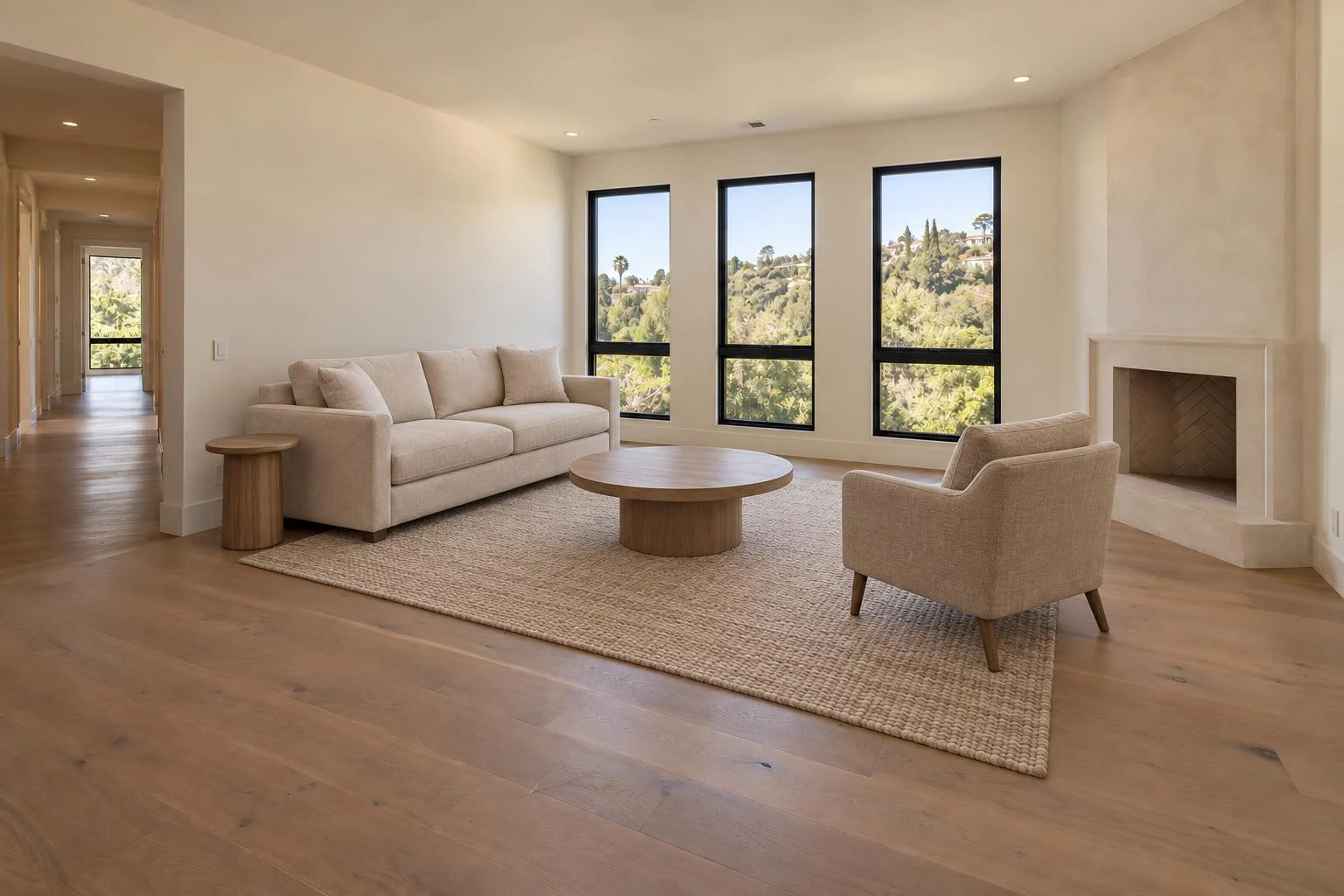
Explore Biyra virtual staging for finishes, pricing and the full workflow.
Put your photos to work.
Explore the Biyra preview and current credit estimates. Choose the tool that fits your listing.
Create your account